October 30, 2026
How to tell what's wrong with my watercolor
To see what's wrong with a watercolor, compare it with your reference photo, then look at both through a black and white filter, a 3-value view and a blur effect. All you need is your phone, and in 10 seconds the problem jumps right out. I use this test on every one of my students' paintings.
What is the first test when a painting feels off?
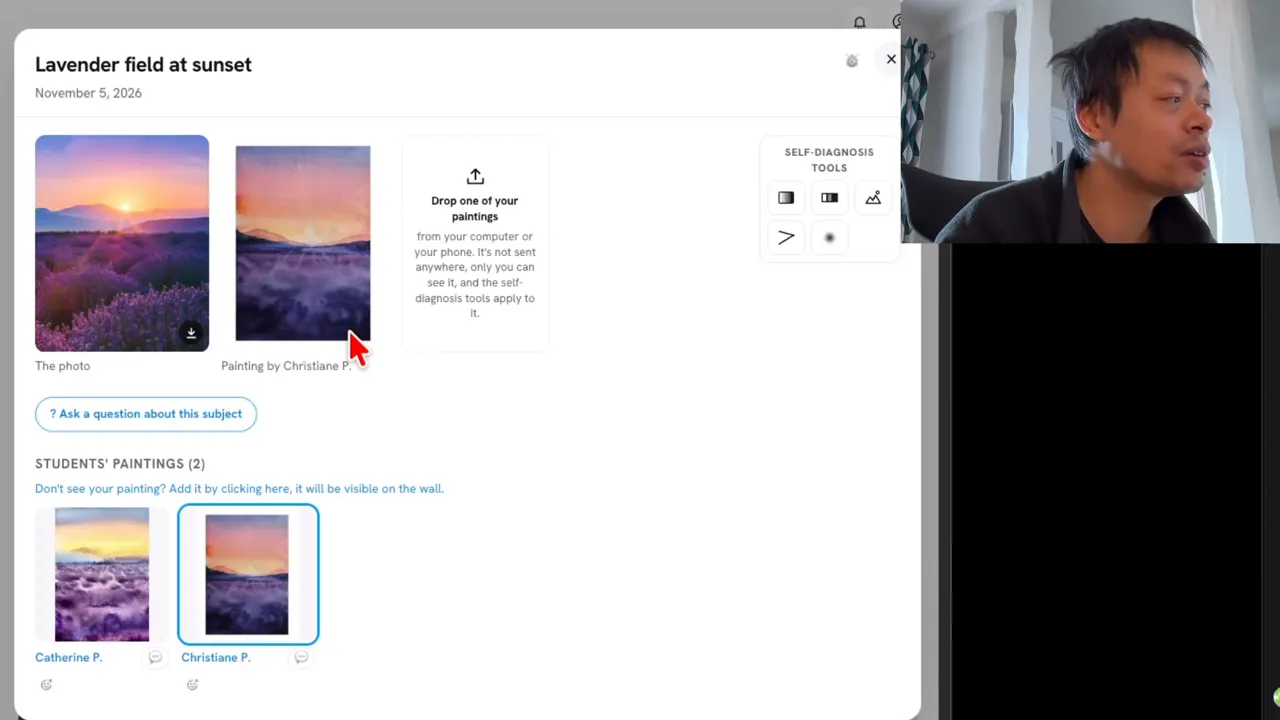
You finish a painting, you step back and something feels off. It looks flat, but you can't tell why. You start asking yourself questions:
- Is it the sky?
- Is it the foreground?
- Is it too pale?
- Is it too dark?
To show you the test, I'll use the tool I use with my students and a painting by one of them. She managed to do something very nice, with pigments mingling in the sky.
The first test you can try is to compare the reference subject with your own painting: the photo on the left, your painting on the right. Just by doing that, you can tell in 1 second whether something is off or not.
If you still can't tell what's wrong, you can use a filter.
What does a black and white filter show?
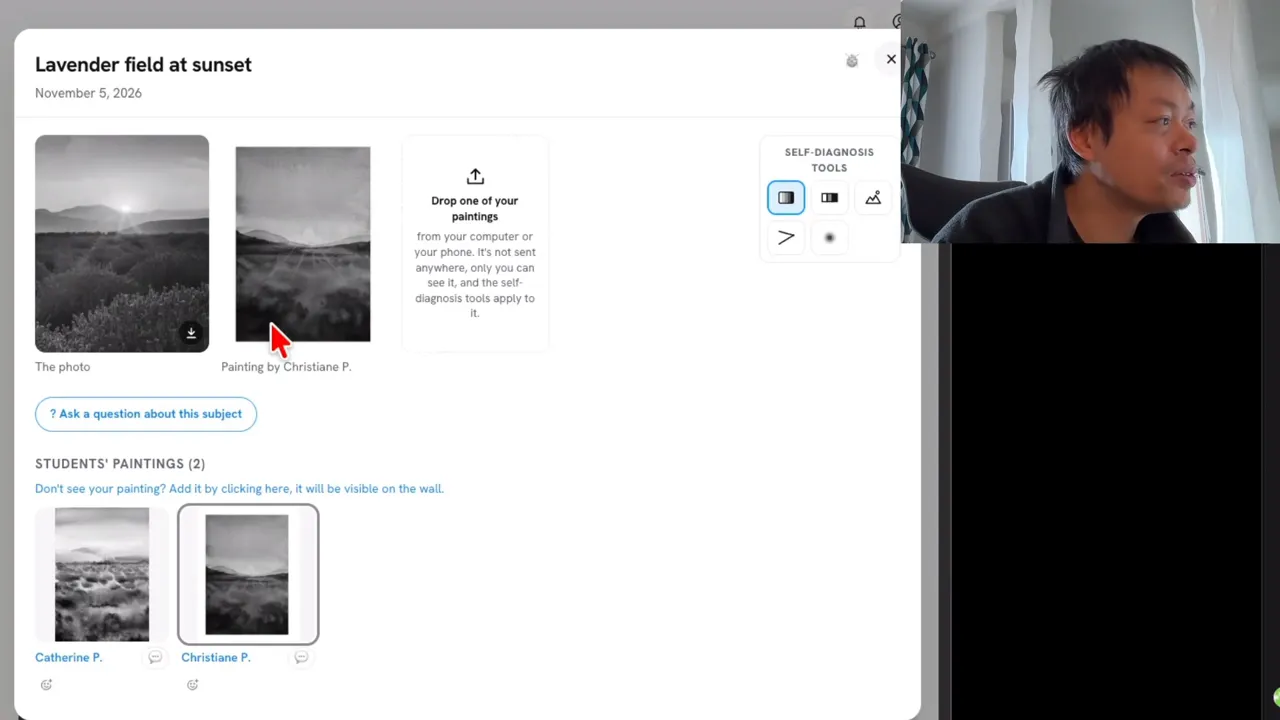
A black and white filter allows you to compare the values of your own painting with those of the reference photo.
In my student's painting, the background is very good. The foreground is also very nice because it has some dark values, and there are very dark values in other areas too. However, the sunlight seems to be better on the reference photo than in the painting.
How can 3 values reveal where the light is?
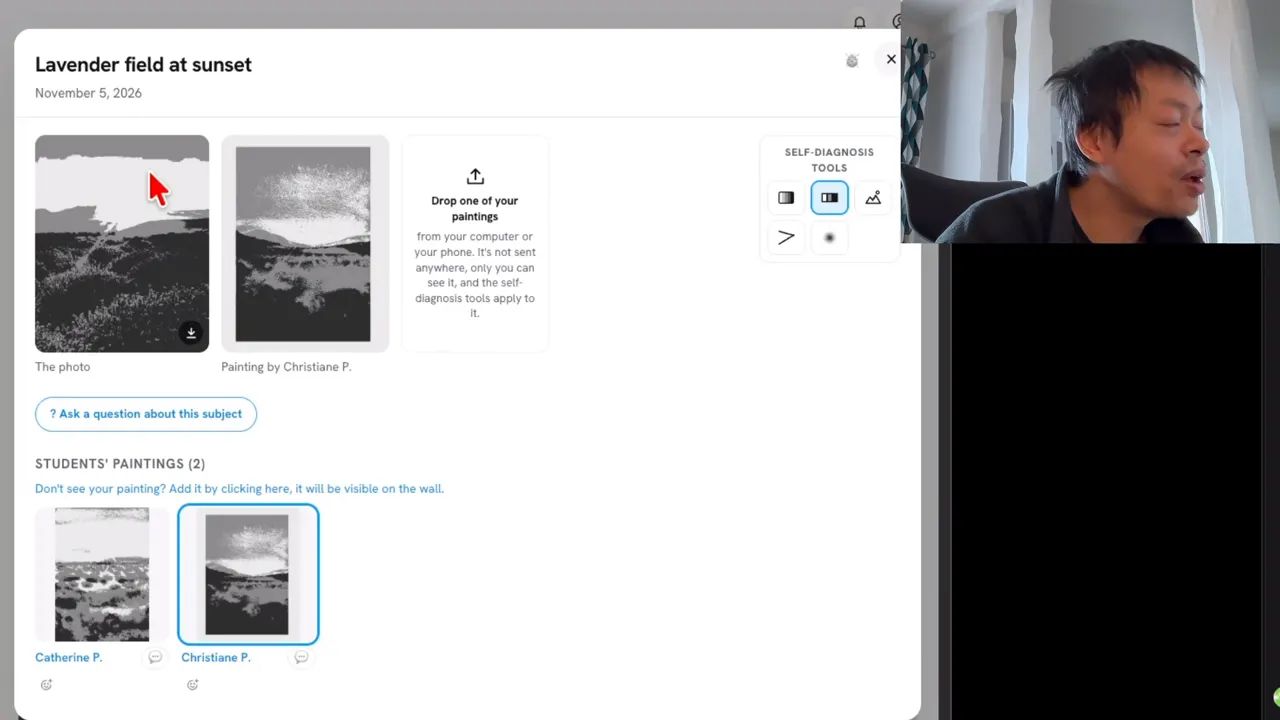
If you want to go further, there is another layer that simplifies the values into just 3: white, gray and black. With this filter, you can see in 1 second where the brightest areas are.
In the reference photo, the brightest area is in the sky. In my student's painting, the brightest area is smaller than the one in the reference photo. She didn't keep the white of the paper, the light in her painting, as much as she could.
If you don't have a tool that creates the 3 values, it's not a problem, because this tool is optional. You just need to observe:
- Where is the brightest area?
- Where is the darkest area?
- Everything in between is gray.
You just have to use your imagination a little more.
What does the blur effect tell you about your watercolor?
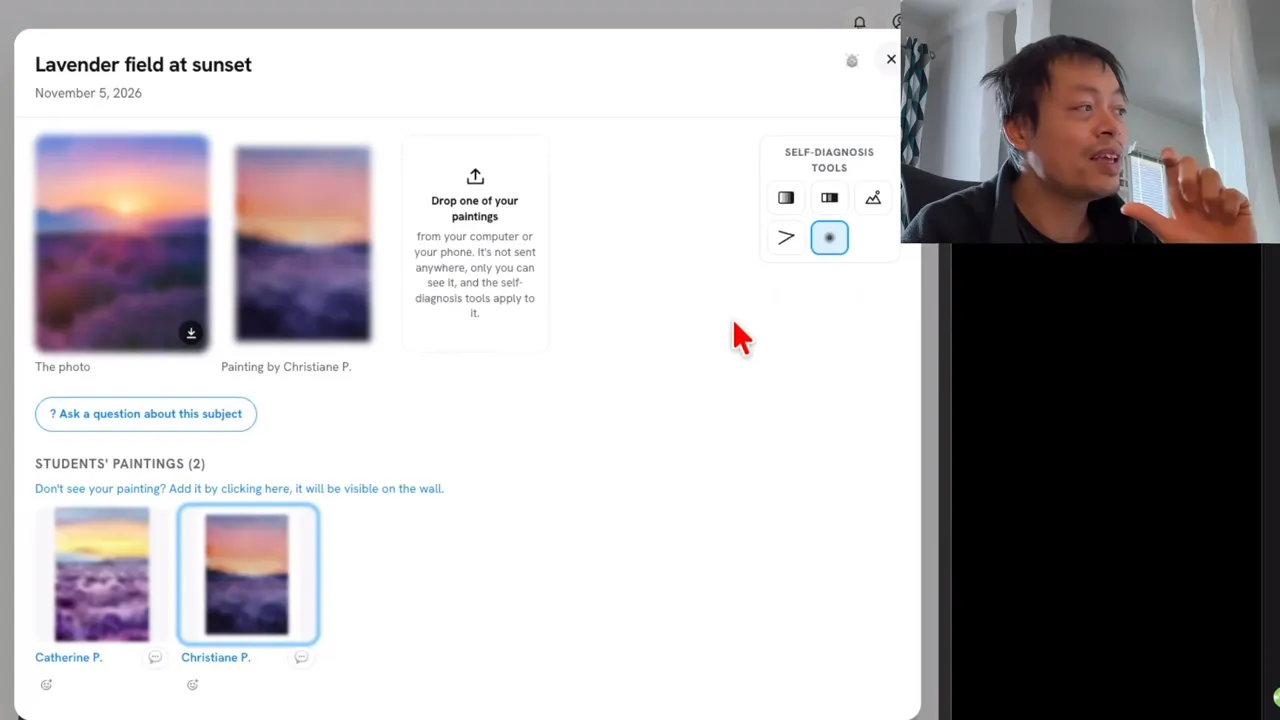
When I finished a painting, I used to put it far away from me to get a zoomed-out effect. Then I could ask myself: did I convey the message that I wanted to convey or not?
The blur effect does exactly the same thing, but without stepping away from your painting. On the reference photo, your eye is caught by the center of the sky, where the brightest area is. In my student's painting, you can feel it, but it's not obvious.
To use it yourself, take a picture of your painting and put it on your phone. Almost every phone has this blur effect.
What can you learn by comparing different paintings?
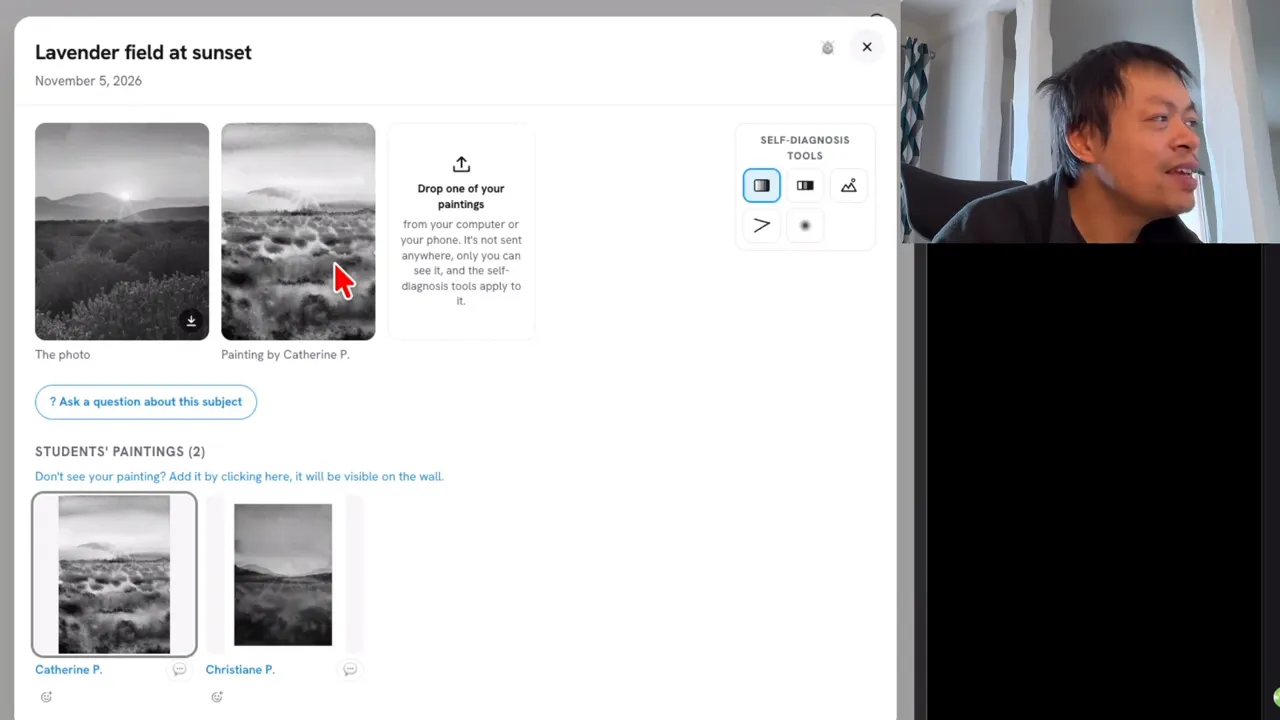
It's very interesting to have different paintings to compare what's working and what is not working. Let's take a painting by Catherine, another of my students, and compare it with the first one.
- Black and white filter: Catherine is using less pigment, because her darkest values are not as dark.
- 3 values: her sky is brighter than the one in the first painting.
- Blur effect: you can feel that the painting is also brighter.
- Foreground: you can instantly see that some dark values are missing, and that prevents her painting from making the light in the sky shine.
I'm critiquing the paintings of 2 of my students here, but apart from the points they can improve, their paintings are really beautiful.
What should you remember beyond the tool?
Besides the tool, what I want you to remember is the thinking process behind it. By observing your painting and your reference photo through these lenses, you will develop your own critical thinking. This is exactly what brings you creative autonomy in watercolor.
FAQ
Do I need a special tool to check the values in my watercolor?
No, your own observation is enough. Find the lightest and the darkest parts of your painting, and treat the rest as gray.
How can I get a blur effect without a special tool?
Your phone is enough, since almost every phone can blur a picture of your painting. You can also place the painting far away from you to get a similar zoomed-out view.
Why doesn't the light shine in my watercolor?
In the 2 paintings I critiqued here, there were 2 different causes: dark values missing from the foreground, and not enough of the white of the paper kept for the light.
If you want to finally create on your own, with a proven system instead of copying tutorials, this is exactly what you'll find here 👇
Discover The Loose Watercolor System